- Home Page /
- Electronics /
- Computer Accessories /
- Computer Components /
- Single Board Computers /
- Micro:bit V2.21 GO Bundle
0 ratings
- View site in :
- Português

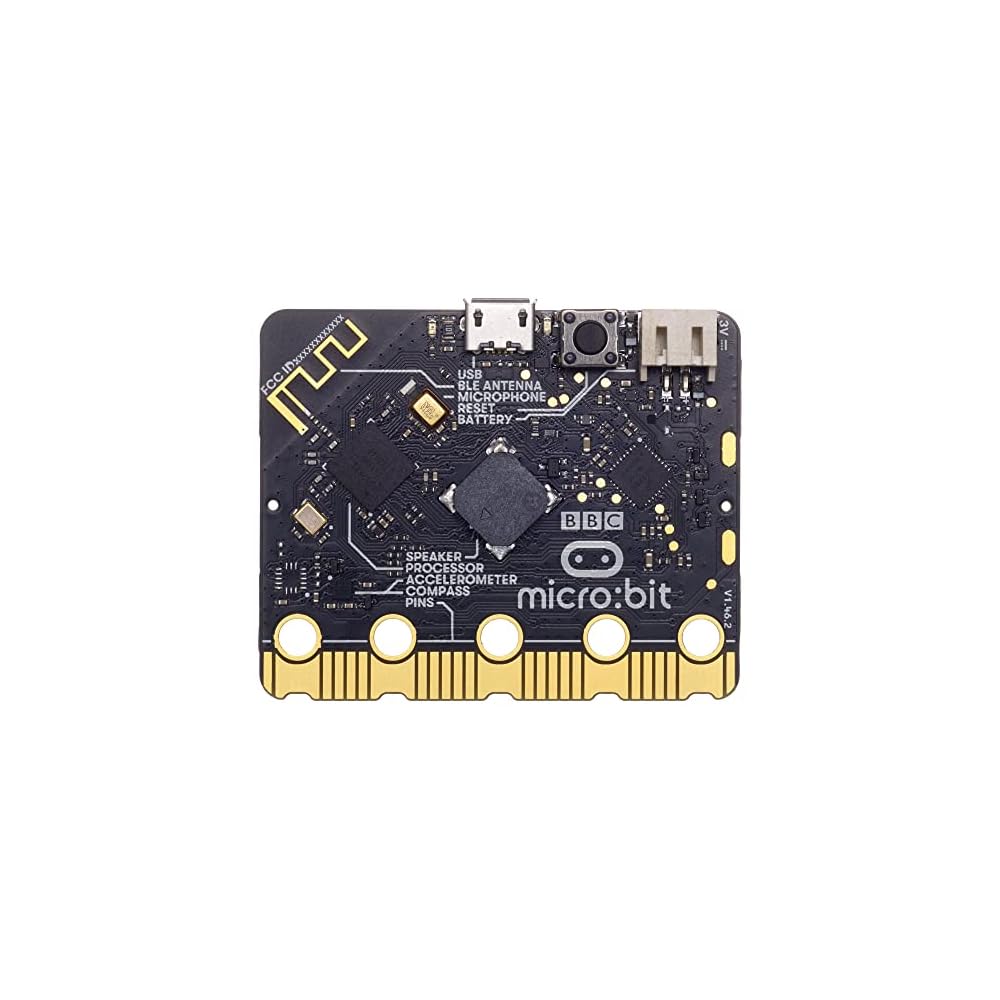
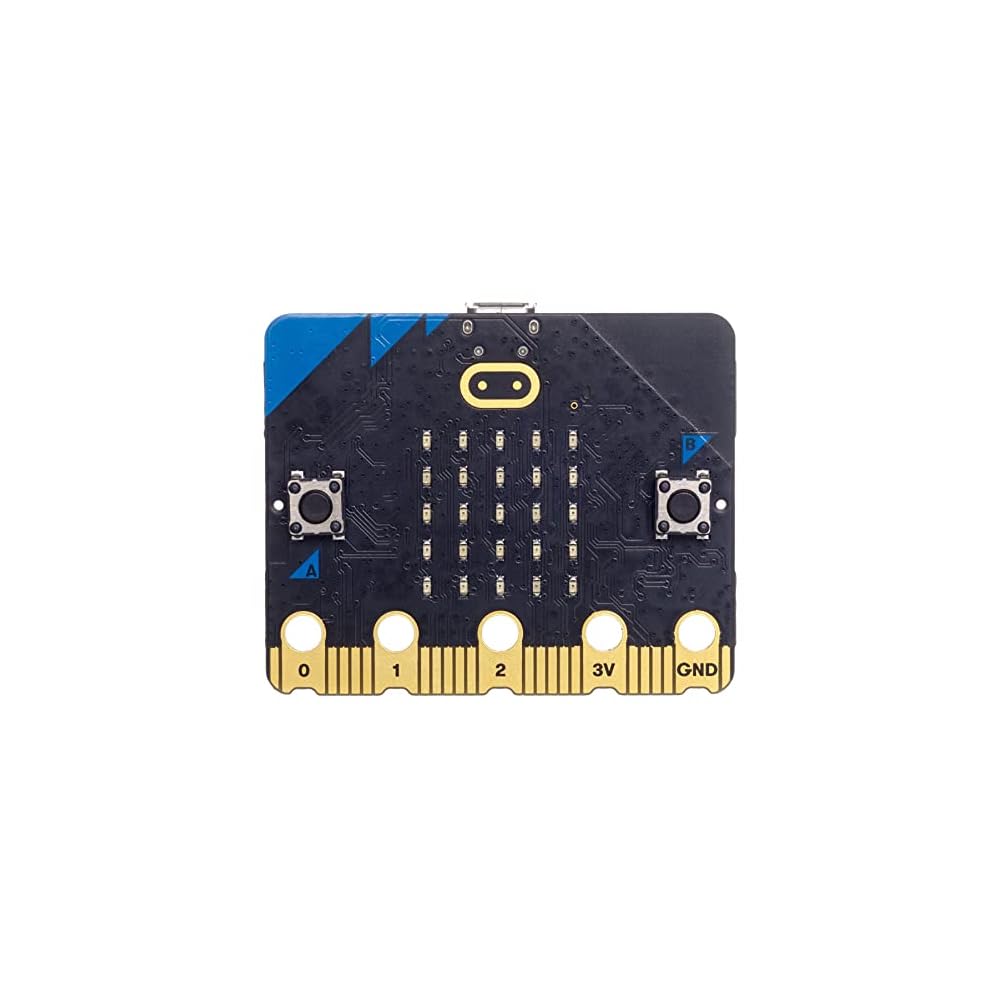


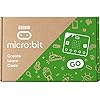
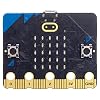



Get your hands on the Micro:bit V2.21 GO Bundle and enjoy its amazing features
Item #:
59015260
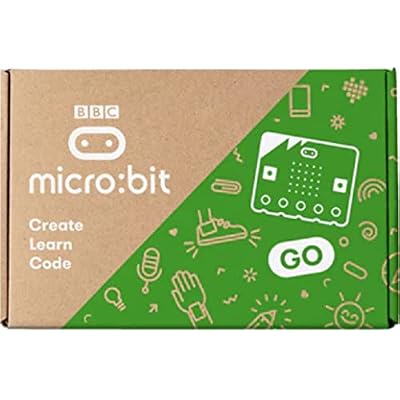
Micro:bit V2.21 GO Bundle
Item #:
59015260
R$ 198
Price Details
Excluding Shipping & Custom charges ( Shipping and custom charges will be calculated on checkout )
*All items will import from US
In stock
 Imported from USA store
QTY:
Order now and get it around Friday, July 03
Secured transaction
Ubuy works hard to protect your security and privacy. Our advanced payment security system ensures confidentiality by encrypting your information during transmission using AES (Advanced Encryption Standards) and SSL (Secure Socket Layer) protocols. Your payment details are 100% secure as we do not share your payment details with third party sellers.
Our Top Logistics Partners


Get your hands on the Micro:bit V2.21 GO Bundle and enjoy its amazing features

Fast
Shipping

Free
Return*

Secure Packaging

100% Original Products

PCI DSS Compliance

ISO 27001 Certified


What Stands Out
Educational Tool
Designed for STEM education, the Micro:bit V2.21 GO Bundle promotes hands-on learning, encouraging creativity and problem-solving skills among students and beginners in coding and electronics.
Built-in Features
Equipped with a speaker, microphone, and LED display, this bundle enhances interactivity, allowing users to create dynamic projects and applications, making learning coding more engaging and fun.
Comprehensive Bundle
The GO Bundle includes essential accessories and components, facilitating an all-in-one package for users. This value-added offering enables immediate project creation without needing extra purchases.
Product Details
- Nordic nRF52833 application processor
- Arm Cortex-M4 32 bit prodcessor with FPU
- Bluetooth 5.1 with BLE
- Low Level radio communications (2.4GHz, 80 channels)
- Push-to-make buttons (2 on the front, 1 on the back)
- 5x5 LED Matrix Display with light sensing
- Motion Sensor
- Temperature Sensor
- Additional PCB mounted magnetic speaker for mirrored output sound
- On board MEMs microphone
| CPU Model | Cortex |
| Processor Speed | 2.4 GHz |
| Connectivity Technology | Bluetooth, USB |
| Operating System | Linux |
| Processor Brand | Multicomp Pro BBC Micro:Bit |
| Wireless Compability | Bluetooth |
| Compatible Devices | Computers (PCs, laptops) via USB, Bluetooth-enabled devices (smartphones, game consoles) |
| RAM Memory Technology | LPDDR3 |
| Processor Count | 1 |
| Total Usb Ports | 1 |
| Brand | multicomp PRO |
| Model Name | Micro:bit V2.21 |
| Built-In Media | Analogue / digital I/O, External Supply, LED matrix 5x5, Microphone / speaker, User Buttons |
| UPC | 713179650029 |
| Manufacturer | Multicomp Pro BBC Micro:Bit |
| CPU Speed | 2.4 GHz |
| Item Weight | 0.5 lbs (230 grams) |
Who Should Buy?

-
Students Learning Code
Ideal for students, Micro:bit encourages programming fundamentals through engaging projects and interactive learning experiences.
-
STEM Educators
Educators can effectively teach STEM concepts using hands-on activities with this versatile microcontroller tool in classroom settings.
-
Hobbyist Makers
Perfect for hobbyists who want to create DIY projects, with numerous resources and community support available for creativity.

-
Advanced Programmers
More experienced developers may find the limitations of Micro:bit restrictive for complex programming tasks and high-level projects.
-
Professional Engineers
Engineers requiring advanced features and performance may not find Micro:bit suitable for professional-grade hardware development.
-
Non-Tech Users
Individuals without a technical background may struggle to utilize Micro:bit effectively without guidance or prior knowledge.
Product Description
About This Item
Introducing the Micro:bit V2.21 GO Bundle, the ultimate starter kit for those curious about coding and electronics. This innovative bundle includes everything you need to jumpstart your programming journey, from a Micro:bit coding kit to a robotics kit and more. With the Micro:bit V2.21 Bundle, you'll have endless possibilities for experimentation and learning. Whether you're a beginner or an expert, this bundle has something for everyone.
You can dive into the world of electronics with the Micro:bit electronics kit, or explore STEM concepts with the Micro:bit STEM kit. The Micro:bit GO bundle offers a comprehensive and versatile experience that is perfect for classroom settings or at-home learning. This Micro:bit GO bundle is a great way to introduce yourself to coding and electronics, making it the perfect Micro:bit Starter Kit. It includes all the necessary tools to learn, experiment, and create your own projects, making it a Micro:bit Education Kit that's perfect for students.
With its user-friendly interface and endless possibilities, the Micro:bit Classroom Kit is perfect for teachers and educators to enhance the quality of learning in their classrooms. Unlock your imagination with the Micro:bit Experiment Kit, and dive into the world of robotics and automation with the Micro:bit Robotics Kit. With the Micro:bit Learning Kit, you can sharpen your programming skills and explore the exciting world of electronics. Get started on your DIY projects with the Micro:bit DIY Kit, and explore the limitless potential that this kit has to offer.
No matter what your interests are, the Micro:bit V2.21 GO Bundle has something that will spark your imagination. Don't wait, upgrade your learning experience with the Micro:bit V2.21 GO Bundle today - the perfect coding and electronics kit for anyone looking to expand their knowledge and have some fun!.
Have any Query? Chat with us
Customer Questions & Answers
-
Question:
What is included in the Micro:bit V2.21 GO Bundle?
Answer: The Micro:bit V2.21 GO Bundle includes the Micro:bit V2.21, a USB cable, and an extensive range of accessories like sensors, LEDs, and a battery holder. This collection is designed to provide everything you need to start programming and creating interactive projects. The Micro:bit itself features an upgraded processor, built-in microphone, and speaker, enhancing its capabilities for educational and fun activities. Use this bundle in classrooms to engage students in STEM learning or at home for hobby projects that teach coding and electronics. -
Question:
What programming languages can I use with the Micro:bit V2.21?
Answer: The Micro:bit V2.21 supports multiple programming languages including Block-based languages like MakeCode, Python, and JavaScript. These options cater to various skill levels, enabling beginners to grasp programming concepts easily while also providing advanced tools for experienced coders. Block-based programming is particularly effective for younger users, allowing them to create projects through a visual interface, whereas Python offers more flexibility for complex applications. This versatility makes the Micro:bit ideal for educational purposes in schools or personal projects. -
Question:
How do I power the Micro:bit V2.21?
Answer: You can power the Micro:bit V2.21 using a USB cable plugged into a computer or a battery pack connected to its battery holder. The USB option allows for quick setup and coding, while the battery pack enables portability, making it perfect for projects on the go. This flexibility allows users to experiment freely, whether during classroom sessions or outdoor projects. Pair it with rechargeable batteries for an eco-friendly approach while still having fun with tech. -
Question:
Can the Micro:bit V2.21 connect to other devices?
Answer: Yes, the Micro:bit V2.21 can connect to other devices via Bluetooth and USB. With Bluetooth, you can pair it with mobile devices to create apps or control robots remotely. This connectivity expands your project's potential, allowing for innovative applications such as home automation or interactive games. For classroom settings, this feature encourages collaboration among students as they work together on interconnected projects. -
Question:
What types of projects can I create with the Micro:bit V2.21?
Answer: You can create a wide range of projects with the Micro:bit V2.21, including games, robotics, data logging devices, and smart wearables. Its built-in sensors and features like LEDs offer endless possibilities for creativity and learning. You might design a simple heart rate monitor using the sensors or build a basic game to teach programming principles in a fun way. This adaptability makes it a favorite among educators and hobbyists alike. -
Question:
Is the Micro:bit V2.21 suitable for beginners?
Answer: Absolutely! The Micro:bit V2.21 is specially designed for beginners, featuring a user-friendly interface and a wealth of online resources to help you get started. With platforms like MakeCode offering visual block programming, newcomers can easily learn coding fundamentals without prior experience. This makes it an ideal choice for educational settings, where teachers can guide students through interactive activities while fostering their interest in technology. -
Question:
What can I do with the built-in speaker and microphone?
Answer: The built-in speaker and microphone in the Micro:bit V2.21 allow for dynamic audio applications, such as creating sound effects for games or developing interactive voice-activated projects. For instance, you could program it to respond to specific sounds or commands, enabling voice-controlled projects. This capability enhances the engagement factor of your creations, turning a simple coding task into a multi-sensory experience. -
Question:
How do I update the firmware on my Micro:bit V2.21?
Answer: To update the firmware on your Micro:bit V2.21, simply connect it to your computer via USB, access the Micro:bit website, and follow the instructions to download the latest firmware. This process is crucial as it ensures your device operates with the newest features and bug fixes, enhancing its performance. Regular updates can open up new functionalities for your projects and improve overall user experience. -
Question:
Are there online resources to help me learn with the Micro:bit V2.21?
Answer: Yes, there are numerous online resources available to help you learn and maximize the use of your Micro:bit V2.21. Websites such as the official Micro:bit educational site provide tutorials, lesson plans, and project ideas suitable for all skill levels. These resources are invaluable for independent learners and educators alike, offering structured paths to explore coding, electronics, and creativity through engaging projects. -
Question:
Where can I buy the Micro:bit V2.21 GO Bundle in Brazil?
Answer: You can buy the Micro:bit V2.21 GO Bundle in Brazil through Ubuy. Ubuy offers a straightforward shopping experience, allowing you to browse various tech products, including the Micro:bit, with detailed descriptions and user reviews to assist your purchase decision. Explore their platform for promotional offers and fast delivery options, making it a convenient choice for your educational technology needs.
multicompPRO Single Board Computers Editorial Review

The Micro:bit V2.21 GO Bundle has received high praise from customers for its ease of use, making it an ideal way to introduce kids to robotics and programming. Customers have expressed their satisfaction with the product's integration with Microsoft MakeCode, emphasizing its potential for encouraging children's interest in technology. Additionally, the product was commended for its prompt delivery. Overall, the Micro:bit V2.21 GO Bundle has garnered positive reception for its educational value and user-friendly functionality.
Customer Reviews & Ratings
68 customers ratings
-
5 Star
85%
-
4 Star
11%
-
3 Star
2%
-
2 Star
0%
-
1 Star
2%
Review this product
Share your thoughts with other customers
Pros
- Easy to use, ideal for introducing kids to robotics and programming
- Compatible with Microsoft MakeCode
- Prompt delivery
Cons
- No notable drawbacks mentioned in the review
Product Price History
Important information
- Limitations : For products shipped internationally, please note that any manufacturer warranty may not be valid; manufacturer service options may not be available; product manuals, instructions, and safety warnings may not be in destination country languages; the products (and accompanying materials) may not be designed in accordance with destination country standards, specifications, and labeling requirements; and the products may not conform to destination country voltage and other electrical standards (requiring use of an adapter or converter if appropriate). The recipient is responsible for assuring that the product can be lawfully imported to the destination country. When ordering from Ubuy or its affiliates, the recipient is the importer of record and must comply with all laws and regulations of the destination country.
- Not all the products listed on Ubuy are for sale, as Ubuy is a global search engine. Products are subject to export/trade regulations.
R$ 198
Order now and get it around Friday, July 03
This item is not restrict in my country.(Please click on above link if this item is not restrict in your country, So our team will review and allow.)
QTY:
Secured transaction
Ubuy works hard to protect your security and privacy. Our advanced payment security system ensures confidentiality by encrypting your information during transmission using AES (Advanced Encryption Standards) and SSL (Secure Socket Layer) protocols. Your payment details are 100% secure as we do not share your payment details with third party sellers.
Our Top Logistics Partners
Fastest cross-border delivery
Features & Benefits
- Equipped with Nordic nRF52833 application processor
- Bluetooth 5.1 with BLE
- Low Level radio communications (2.4GHz, 80 channels)
- 5x5 LED Matrix Display with light sensing
- Temperature Sensor
- On board MEMs microphone